Showing posts with label math technology. Show all posts

Friday, 8 February 2013

Handwrite math in over 600+ applications & websites

0 comments

MathType 6.8 takes full advantage of Windows Math Input Panel (available in Windows 7 and later,) which provides support for handwritten math recognition. With MathType and the Math Input Panel you can easily write out your equations and insert them into over 600+ applications and websites.
 
Mouse, tablet, or pen
Although you can handwrite equations using only a mouse, for best results we recommend using a tablet or a pen device.
 
Opens within Microsoft Word
MathType 6.8 adds a button to Microsoft Word's ribbon, and a menu command to MathType. Each brings up the Math Input Panel ready for handwriting equations.
 
Build large equations from small handwritten expressions
While entering math by hand using the Math Input Panel is easy for simple expressions, MathType's editing comes in handy for combining simple expressions to make larger ones or when correcting mistakes. Math Input Panel together with MathType gives you the best of both worlds.
 
We're listening
You can download a 30-day full version of MathType and try MathType's handwritten math and the other new features for free. When you do, we would love to hear what you think. Send us an email or talk with us on
Facebook, Twitter, or YouTube!

Saturday, 19 January 2013

Geogebra - Dynamic Mathematics for Everyone

0 comments
GeoGebra is an interactive geometry, algebra, and calculus application, intended for teachers and students. Most parts of GeoGebra are free software. GeoGebra is written in Java and thus available for multiple platforms.

Its creator, Markus Hohenwarter, started the project in 2001 at the University of Salzburg, continuing it at Florida Atlantic University (2006–2008), Florida State University (2008–2009), and now at the University of Linz together with the help of open-source developers and translators all over the world. Currently, the lead developer of GeoGebra is Michael Borcherds, a secondary maths teacher.

After a successful Kickstarter campaign, GeoGebra plans to expand their offerings to include an iPad and Android version.

GeoGebra is dynamic geometry software. Constructions can be made with points, vectors, segments, lines, polygons, conic sections, inequalities, implicit polynomials and functions. All of them can be changed dynamically afterwards. Elements can be entered and modified directly on screen, or through the Input Bar. GeoGebra has the ability to use variables for numbers, vectors and points, find derivatives and integrals of functions and has a full complement of commands like Root or Extremum. Teachers and students can use GeoGebra to make conjectures and prove geometric theorems.

Most parts of the GeoGebra program are licensed under GPL and CC-BY-SA, making them free software. However some parts, including the Windows and Mac installers, have a license which forbids commercial use and are therefore not free software.

Download Free Software geogebra here.  And GeoGebraTube is the official repository of GeoGebra constructions and GeoGebra related resources.

Thursday, 12 April 2012

Mount Everest, How Tall Is It? - A Mathematics Mystery

0 comments


Last night I started to read Mount Everest, The Reconnaissance 1921 which I downloaded for free from Google Books. In the introduction there is a three page explanation of the methods used to measure the height of Mount Everest. An explanation of the differences in measurements is also provided in the introduction. Part of that explanation includes differences in snow fall, cyclical deviations of gravity, and differences atmospheric refraction when observations were made. I'm not a mathematics teacher and will never pretend to be one, but reading that introduction did get me thinking about a possible mathematics lesson.

Applications for Education
Turn to pages 10 through 13 of Mount Everest, The Reconnaissance 1921 and read about the difficulties of accurately measuring Mount Everest in the late 19th and early 20th Centuries. It's interesting to note that most accepted measurements were more than 100 feet higher than today's accepted measurement. Tell your students that Mount Everest has shrunk over the last 100 years and ask them to solve the mystery of the shrinking mountain. 

On a mildly related note and on a promotion of a Mainer note, Snow in the Kingdom: My Storm Years on Everest by Ed Webster is one of the best books ever written about Mount Everest. If you enjoy good adventure stories and or stories about overcoming personal struggles, I think you will enjoy Webster's book. For my money, and I own two copies of it, it is far better than Krakauer's Into Thin Air.

Sunday, 8 April 2012

OpenRocket 12.03-an Open Source model rocket simulator

0 comments

OpenRocket is a free, fully featured model rocket simulator that allows you to design and simulate your rockets before actually building and flying them.
OpenRocket features a full six-degree of-freedom simulation, realistic wind modeling, a multitude of different components including free-form fins and canted fins, clustering and staging. Read more about its features and see screenshots.

OpenRocket is an Open Source project licensed under the GNU GPL. This means that the software is free to use for whatever purposes, and the source code is also available for studying and extending.

Features
General:
  • Fully cross-platform, written in Java
  • Fully documented simulation methods
  • Open Source, source code available under the GNU GPL
User interface:
  • Easy-to-use user interface for rocket design
  • Real-time view of CG and CP position
  • Real-time flight altitude, velocity and acceleration information from a continuous simulation performed in the background
  • Zoomable schematic view of rocket from the side or rear, with rotation around the center axis
Design:
  • A multitude of available components to choose from
  • Trapezoidal, elliptical and free-form fins supported
  • Support for canted fins (roll stabilization)
  • Staging and clustering support
  • Automatic calculation of component mass and CG based on shape and density
  • Ability to override mass and CG of components or stages separately
Simulation and analysis:
  • Full six degree of freedom simulation
  • Rocket stability computed using extended Barrowman method
  • Realistic wind modeling
  • Analysis of the effect of separate components on the stability, drag and roll characteristics of the rocket
  • Fully configurable plotting, with various preset configurations
  • Simulation data can be exported to CSV files for further analysis
  • Simulation listeners allowing custom-made code to interact with the rocket during flight simulation
Download openRocket 12.03

Monday, 26 March 2012

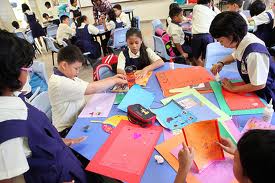
Tips on using the method of creative learning in learning mathematics

1 comments
This article provides a set of tips for raising your awareness of learning styles as a major factor in how children learn. These tips are adapted from the resources listed at the end of this article.

The tips are based on the Dunn & Dunn Learning Styles Model developed by Professors Rita and Kenneth Dunn to assist the New York State Department of Education in improving the effectiveness of instruction for students not demonstrating sufficient progress. The model is based on 20 elements, divided among five categories (called stimuli in the model), that affect learning. Use of the model has been statistically proven to improve student performance.

The model's five stimuli are environmental, emotional, sociological, physiological, and psychological. A nice illustration of the stimuli and elements is here. A very similar model, the Learning Styles Pyramid Model is illustrated here.

The first half of the tips are not specific to Math and apply to a broad range of learning situations. The second half are Math-specific.
  1. Ask your child how he learns best
  2. Notice whether your child learns better in the morning, afternoon, or evening
  3. Introduce a lesson by relating its content to your child's life
  4. Use anecdotes and stories to convey the practical relevance of lessons
  5. Use humor, songs, poetry, cartoons, drama and color to capture attention and stimulate receptivity and learning
  6. Use pictures, drawings, graphs, illustrations, and charts to engage the visual sense
  7. Allow flexibility in lighting (natural, bright, soft, dim, incandescent vs. fluorescent)
  8. Allow flexibility in seating arrangement (experiment with casual and relaxed seating)
  9. Encourage use of white boards, bulletin boards, outside areas, and large floor space for your child to demonstrate what he is learning
  10. Notice whether the room is too cold or too warm for your child
  11. Try incorporating soft background music into the learning environment (with no lyrics to distract)
  12. Notice whether your child prefers to work alone, in a group, or with adult or authority figures
  13. When working in groups, encourage a 60 second break every 15 minutes to review with others, what the children just learned
  14. Explore with your child if he learns best while snacking
  15. For learning about numbers and operations try counters, Cuisenaire rods, blocks, chips, abaci, wooden cubes, and counting sticks
  16. For more advanced learners, try number lines, charts, computers, and calculators
  17. Use card and board games and let your child create his own games
  18. Encourage your child to create his own word problems to provide a context for what he 's learning as well as to support his computation
  19. In early algebra lessons, start with tables and graphs to show relevance of the material
  20. Use geometric models, geoboards, rectangular dot paper, geoblocks, tiles, tangrams, and mirrors to sketch and record shapes
  21. Have kids learn about points, lines, angles and other geometric ideas by using their hands and arms to illustrate the ideas. This can be especially fun if there is a group of kids to illustrate these ideas together.
  22. Support learning of measurement through instruments: rulers, meter sticks, tape measures, trundle wheels, graduated beakers, measuring cups and spoons, kitchen and bathroom scales, thermometers, timers, clocks, and protractors
  23. Try having your child work out a problem on a white board and see if having him stand makes a difference
  24. Encourage your child to talk about what he learned, give feedback, and show him how to apply what he has learned to his life
  25. Use story books to teach Math concepts such as time, money, measurement, and problem-solving
  26. Teach about data analysis, probability, and statistics through newspaper graphics, newspapers, and charts. Also, use dice, coins, cards, colored cubes, chips, spinners, graph paper, squares, calculators, and computers.
I hope when our children no longer allergic to aftermath read this article , and to the parents this is a reference to educate their children to like mathematics .

Tuesday, 20 March 2012

Sharpening Mathematical Logical Intelligence Children

0 comments
Indeed, every child is born with the potential of smart and the uniqueness of each that allows them to be intelligent. Howard Gardner in his Multiple Intelligences have, said there were eight intelligences in humans including: verbal/linguistic intelligence/language, logical mathematical intelligence, visual/spatial intelligence/spatial, musical/rhythmic intelligence, kinesthetic intelligence, interpersonal intelligence, physical intelligence, and intrapersonal intelligence naturalist. Duties of parents and educators is maintaining the qualities that formed the basis of intelligence to survive until the child was growing up, by giving environmental factors and good stimulation to stimulate and to optimize brain function and intelligence of the child.

Basically every child was awarded the logical mathematical intelligence. Gardner defines logical mathematical intelligence as the ability of scientific reasoning, computation of mathematically, logical thinking, inductive/deductive reasoning, and sharpness of abstract patterns and relationships. Can be translated as well as the ability to resolve issues related to the needs of mathematics as a solution. Children with this capability will be thrilled with the formula and abstract patterns. Not only on the number of maths, but also on the rise in activity that is both analytical and conceptual. According to Gardner there is a link between mathematical intelligence and linguistic intelligence. In mathematics, the child's ability to analyze or describe logical reason, as well as the ability to construct a solution of the problems that arise. Linguistic intelligence required for merunutkan and menjabarkannya in the form of the language.

Still according to Gardner, the mathematical characteristics of intelligent logical child at the age of a toddler, child loves a explore to satisfy her curiosity like exploring every corner, observe the things that are unique to her hobby of fiddling with the object as well as, do a test run. Like what if my feet in a bucket full of water or curious composing puzzle. They are also often asked about different phenomena and are demanding an explanation of each logical questions asked. In addition children also love to classify various objects based on color, size, type and others and was fond of counting.

Stimulation of daily activities around us.

How we stimulate mathematical intelligence logical children from an early age? Bagimana we instill logical mathematical concept early on? We can introduce first understanding of mathematics from an early age from our surroundings and everyday experience as well as giving the child the stimulation of support. Of course this was done without coercion and pressure, and through the game-the game. In the education, the role of parents is irreplaceable and the House is the main base of education of the child. Many games of exploration that can hone the ability of mathematical logic, but of course this has to be adapted to the age of the child. When toddlers play sand, real child is animating his muscles are trained so that future child halusnya motor capable of holding a pencil, draw and others. By playing the real child study estimation of sand by pouring or take the later all that's in the math.

When we introduce figures on children do not only as a symbol, for example we have two oranges, provide two citrus fruits. So the children know about the concept of numbers and number. The song can also be a medium for introducing various themes about the numbers. There are five songs such as balonku. Or we can create his own songwriting simple while visualizing our fingers as a tool to count, so that gradually the child easily captures the abstract concepts in numbers

After the children get to know the numbers 1 to 10, then the number zero was introduced to Provide an understanding of the concept of number. zero in early childhood is not easy. This game can be done by calculating a magnet affixed to the refrigerator. Try taking one by one and ask the children count the remaining. Do periodically so that the magnets on the fridge is no longer attached. While it can be shown that the views on the fridge is 0 (zero) magnet.

While in the kitchen, we can introduce the concept of the classification and grouping of related to the concept of mathematical logic, for example by means of the child are asked to classify the vegetables based on color. Arithmetic skills in operation of a simple number, such as when three apples eaten one then the rest is how. It could also create geometric forms through pieces of vegetables. Once in a while do also make cake with activities, other than to increase familiarity and warmth of the family, children can also learn mathematics through activities whereas, take the necessary, calculate the time. Cook while looking recipes also trained the skills of reading and learning vocabulary. Don't risaukan a State of the kitchen would be dirty and cluttered with flour and scattered belongings, because such an ad slogan that dare dirty is good. The child is happy and unknowingly they learn many things.

We can also provide mathematical concepts such as quantity, such as understanding how the number of fish in the Aquarium. When relaxing in front of the home, children are invited calculate how much a passing motor in 10 minutes. Recommend also the concept of comparison such as larger, smaller and so on, for example by asking the child with bread donut bread cake which one size larger. When we introduce and inquire on the child that the car is moving faster than the motor, palms taller than trees, guava, or bags heavier than his older brother bag, in fact it is already included in the concepts taught pace, length and weight, so that the function of intelligence mathematics become active.

For activities outside the home, when we invite children to shop, engage it in the transaction so that the train operating skills such as addition and subtraction. It could be with the game store or the market the market with friends.

Traditional games also can stimulate and enhance mathematical intelligence such as congkak logical child or dakon game as a learning tool is also useful to train and arithmetic ability of fine motor manipulation primarily train the forces of the hand at a later date is useful for getting started writing. As long as children are required to follow focus play which in turn will train a child's concentration and perseverance is needed when the child attends lessons in school.

Smarter by playing to savvy child

Why much stimulation through games and play activities that fun? Because the play is going to make children able to express ideas and feelings and make the child become more creative. The play also will exercise cognition or ability learned the child based on what is experienced and observed from its surroundings. When playing a challenging game, children have a chance in solving problems. For example, compose or play lego pasel. Children exposed to troubles, but it's not a matter of fact, it's a game that needs to be done. The problem of bringing boys unconsciously trained to solve a problem. This will strengthen the ability of children out of trouble. For example when being menalikan, the child will attempt to use all his skill to complete up to completely.

Thus the children will love the math because math lesson turned out there were around them and they know the purpose of learning math. Of course this should be supported with a pattern of teaching mathematics in schools that are fun, creative, contextual, realistic, emphasis on processes and student understanding and problem solving, creative in promoting and teaching the concept of mathematics as well as with a wide variety of games and props that would be interesting so math lessons are fun and eagerly awaited. In the book entitled Learning is Most Effective When It’s Fun.

Friday, 16 March 2012

Free Unit Converter For Math and Science

0 comments
Free Unit Converter(805KB) is a quick and effective way to make easy unit conversions between 5000 various units of measure in 21 categories.

It has an easy-to-use interface and contains most of the units commonly encountered while solving unit conversion problems.

Free Unit Converter is a powerful unit converter with conversion factors for Weight, Length, Volume, Area, Temperature, Speed, Acceleration, Time, Pressure, Power, Energy, Torque, Fractions, Computer Storage, Data Transfer and many others. Free Unit Converter converts over 5000 units of measure from one unit to another.

Everybody needs Free Unit Converter. This program designed not only for the professionals (students, teachers, and practitioners in engineering, physics, sciences, and technical subjects), but also for ordinary users.

Free Unit Converter is a small, fast, useful, practical and powerful. It has a clean, simple interface. Saves time and increases productivity.

Free Unit Converter is a completly FREE Software. It contains absolutely NO ADWARE, NO SPYWARE, NO REGISTRATION, NO POPUPS, NO MALWARE or other unwanted software.

Download free unit converter here

Wednesday, 14 March 2012

MathType 6.7 - Equation Editor Equations Everywhere and Anywhere

0 comments
MathType is a powerful interactive equation editor for Windows and Macintosh that lets you create mathematical notation for word processing, web pages, desktop publishing, presentations, elearning, and for TeX, LaTeX, and MathML documents.

Features & Benefits
MathType is a Universal application supporting both Intel and PowerPC Macs. MathType works with Mac OS X 10.4.9 Tiger or later, including 10.7 Lion.

Works with Many Applications and Websites

 
  • Apple iWork '09: MathType lets you add equations to documents, presentations, and spreadsheets in Pages, Numbers, and Keynote.
  • Microsoft Office 2008 and 2011: MathType lets you add equations to documents, presentations, and spreadsheets in Word, PowerPoint, and Excel.
  • Apple iBooks Author: Add and edit equations in the ebooks you are authoring and make the math accessible to people with visual disabilities.
  • Many Other Applications and Websites: MathType also works with over 500 applications and websites, including:
    • Yahoo Mail, Gmail, Hotmail, Mac Mail, Microsoft Outlook
    • Mathematica, Maple
    • InDesign, QuarkXpress
    • Blackboard, Moodle, WebAssign
    • Wikipedia, Wolfram Alpha
    • Google Docs
    • Evernote
  • Many Ways to Work: MathType can add equations to virtually any application or website into which you can paste or drag a graphic in PDF, EPS, or GIF format or in LaTeX or MathML math languages. Check our Works With section for details on how MathType works with your favorite apps and websites.
More Symbols, Templates, and Fonts
  • More Fonts: MathType has hundreds more symbols and templates than Equation Editor. Besides our exclusive Euclid™ math fonts, you can also make use of the 1000s of math symbols in fonts already on your computer, as well as math fonts you can download from the Internet.
  • Find Symbols: MathType's Insert Symbol dialog allows you to explore the available symbols and insert them with a click or keystroke. 
Three Ways to Create Equations

 
  • Point-and-Click Editing with Automatic Formatting: Equations can be created quickly by choosing templates from MathType's palettes and typing into their empty slots. MathType applies mathematical spacing rules automatically as you type.
  • Type TeX or LaTeX: If you already know the TeX typesetting language, you can type it into the MathType window or directly into a Word document. TeX editing can be mixed with point-and-click editing so you get the best of both worlds. You can also paste in equations from existing TeX documents.
  • Type TeX or LaTeX directly into a Microsoft Word document: With MathType's unique TeX Toggle feature, you can type TeX directly into a Word document. When you are done, use the TeX Toggle command to turn it into a typeset equation. If you want to edit it later, use TeX Toggle again to turn it back into TeX to make your changes.
Saves Time
  • Save Expressions in the Toolbar: Drag frequently used equations and expressions to the MathType toolbar so they can be inserted later with just a click or a keystroke.
  • Keyboard Shortcuts: MathType has customizable keyboard shortcuts for virtually every symbol, template, and command.
Download MathType 6.7 here

    Sunday, 4 March 2012

    Teaching Geometric Constructions using Math Open Reference

    0 comments
    Teaching geometric constructions has always been a challenge. The rules are easy enough - compass, straightedge, no measuring. But for the teacher the challenges come quickly. How to actually demonstrate them in class? How will the students remember the steps when trying it themselves? What happens when they do the homework?


    In the classroom

    To demonstrate the constructions in class we have the usual choices:
    • Compasses and straightedge on a whiteboard or overhead projector.
    • Software such as Geometers Sketchpad (GSP) or GeoGebra.
    These have the obvious drawbacks; the vertical drawing surface or overhead projection screen is awkward and the students cannot take it home. Using software is OK, but the compass tool only draws whole circles which, while technically correct, winds up producing rather confusing images for this task, and does not show the steps involved. The Math Open Reference website offers a third option. In the chapter devoted to constructions (here), there are most of the Euclidean constructions taught in high school. Each one can be stepped through one step at a time, or be let to free run all the way through. Each one also has written instructions for those who prefer that.
    Using a projector you can show each construction step by step while you discuss it with the class. The compass actually looks and acts like a compass, and it can draw partial arcs just the like the real one. The straightedge and pencil looks real also.
    Fig 1. Freeze-frame of the angle bisection construction.


    Stephen Corcoran, Head of Mathematics at St Stephen's School in Perth Australia reports after using the construction pages in the classroom:
    "The lesson was a huge success. Displaying your construction animations greatly increased student understanding, motivation and 10x more efficient. Also they can always visit your site themselves if they wish."
    In the Lab

    The next problem arises when the students try to do it themselves. They have to rely on memory to redo what they saw a few minutes ago in class. This memory is typically not very good. Not until they have done it themselves a few times will they really retain it. The ultimate goal of course is to get to the point where the visual aid is no longer needed and they can perform the constructions in a test unaided. Using Math Open Reference, they can bring it up on a computer and follow along with the animations, pausing between steps. This leads to a high degree of success and hastens the time when they can do it unaided.
    Some teachers do this in a computer lab setting while they walk around looking over shoulders to find the students who need some extra help. Teachers report that this activity is very engaging. According to Roy Chancellor, a math teacher in Scottsdale Arizona:
    "Animated constructions are absolutely indispensable for guiding the students at their own pace. It would be next to impossible to teach these constructions in whole-group format. The students were engaged throughout the lab."
    At Home 

    The third challenge arises when the students are at home. Once again, they have to recall what they saw in class and try and reconstruct the figures from memory. If they have trouble with this, the only recourse has been a written set of instructions, and these instructions are very hard to write - a bit like trying to describe how to tie shoelaces.
    Because the Math Open Reference animations are freely accessible on the web without any special downloads or software, they can again see the step-by-step animations and practice at their own pace until they get it down. They are seeing the exact same animations they saw at school.
    Software like GSP is less useful here because:
    • The student has probably not purchased it.
    • The sketches do not show how they can be produced using real drawing instruments.
    Making it Concrete

    Constructions are taught as a fundamental part of a geometry curriculum, but they have other values. Some geometric concepts can seem a little abstract to some students. By linking them to physical constructions, the ideas become more concrete in the student's mind.
    Again, Roy Chancellor:
    "In my HS geometry class, we're doing a unit on properties of triangles, such as circumcenter, incenter, centroid, and orthocenter. After learning various theorems about these special locations, my students used your construction pages to create each one. After making the constructions, they used measuring tools to verify each of the theorems from earlier in the week. It was an excellent way to connect the book knowledge to something they created."
    Conclusion

    It might be said that this is just rote "see and do", not real learning. But there is another view. Once the constructions have been practiced over and over and internalized, the training wheels can be cast aside. From that base of confidence, the discussion can be started into the real meaning of the constructions and the analysis of why they actually work.

    Reference : www.mathopenref.com

    Saturday, 3 March 2012

    Math Learning Software

    0 comments
    Math learning need support so learning more interesting and meaningful. Therefore, teachers must prepare learning material as well. In order to create a good teaching material must be supported with math learning software, because of the inordinate use of mathematical symbols. Here I refer to mathematical software that can be downloaded.

    1. CalcuTray
    CalcuTray is a simple, quick and easy to use calculator that resides in the system tray and enables you to quickly perform a mathematical calculation by simply typing in the numbers, using the standard mathematical operators (+, -, *, / etc.). In addition to basic calculations, CalcuTray also be used to solve square roots and convert fractions to decimals. You can also use Pi in any of your calculations.

    2. Kalkules
    Kalkules is an universal scientific freeware calculator with an amount of untraditional functions, which can be used particularly by high school or university students. It also offers a wide range of tools, which make your calculations easier and faster.

    3. yoshinoCALC
    yoshinoCALC is a free scientific calculator utilizing a dll to evaluate mathematical expressions.

    4. Vectoration
    Simple and functional vector calculation program

    5. MagicCalc
    MagicCalc is a full functions fullscreen graphic calculator

    6. sparseLM
    sparseLM is a software package for efficiently solving arbitrarily sparse non-linear least squares problems. It offers a generic implementation of the Levenberg - Marquardt optimization algorithm on top of a variety of sparse direct solvers, thus being applicable to problems with arbitrary sparseness. sparseLM accepts sparse Jacobians encoded in either compressed row storage (CRS) or compressed column storage (CCS, aka Harwell-Boeing) format. It is also possible to supply it just with the Jacobian's sparsity pattern and have its values be numerically approximated using finite differences, or even instruct it to attempt the automatic detection of the sparsity pattern corresponding to the Jacobian of the function to be minimized. For dense non-linear least squares problems, project levmar is more appropriate.

    7. CM
    CM is a C# based Mathematical language which makes it easier for scientist, engineers and students to do scientific computation. CM will provide a mechanism for “NO LOOP” programming which is much like MatLab or Fortran. It's developed in C#.

    8. Microsoft Mathematics
    Microsoft Mathematics provides a set of mathematical tools that help students get school work done quickly and easily. With Microsoft Mathematics, students can learn to solve equations step-by-step while gaining a better understanding of fundamental concepts in pre-algebra, algebra, trigonometry, physics, chemistry, and calculus.

    9. Simple Solver
    Design and analysis of Boolean equations and state machines

    10. Maxima -- GPL CAS based on DOE-MACSYMA
    Maxima is a fairly complete computer algebra system written in lisp with an emphasis on symbolic computation. It is based on DOE-MACSYMA and licensed under the GPL. Its abilities include symbolic integration, 3D plotting, and an ODE solver

    11. Eukleides
    Eukleides is a computer language devoted to elementary plane geometry. It aims to be a fairly comprehensive system to create geometric figures, either static or dynamic. It can handle geometric types of data like points, vectors, lines, circles, or conics. A Eukleides script usually consists of a declarative part where objects are defined and a descriptive part where objects are drawn. Nonetheless, Eukleides is also a full featured programming language, providing conditional and iterative structures, user defined functions, modules, etc. The Eukleides distribution provides two distinct interpreters: "eukleides" and "euktopst". The former interpreter produces Encapsulated PostScript (EPS). The latter produces PSTricks macros, allowing Eukleides to be used with LaTeX.

    12. GlassCalc
    GlassCalc is a simple calculator with extensive support for mathematical expressions.

    13. 7math
    7math is a program designed to solve equations.

    14. RedCrab
    RedCrab is a scientific calculator with a full-screen editor. The mathematical expressions are not typed in a typical command line, but can be enter in the editor window.

    15. Functy
    Functy is a 3D graph drawing package. The emphasis of the application is to allow Cartesian and spherical functions to be plotted and altered quickly and easily. This immediacy and the vivid results are intended to promote fun exploration of 3D functions.

    16. MathCast
    MathCast is an equation editor, an application that allows you to input mathematical equations. These equations can be used in written documents, webpages, and even databases. They could be rendered graphically to the screen, to picture files, or to MathML - today’s leading standard language for describing mathematics.

    17. FriCAS
    FriCAS is an advanced computer algebra system. Its capabilities range from calculus (integration and differentiation) to abstract algebra. It can plot functions and ha san integrated help system. It is a fork of the wh-sandbox branch of the Axiom project.

    18. eCalc
    A free Windows calculator with basic and scientific functions.

    19. gsrpn
    gsrpn is a very usable HP-like RPN pocket calculator. It is based on JavaScript and works with any modern Web browser. It's fast and handy thanks to its keyboard interface.

    20. Antiprism
    Antiprism is a set of programs for generating, manipulating, transforming, and viewing models of polyhedra.

    21.SpeQ
    SpeQ is a small, extensive mathematics program with a simple, intuitive interface.

    22. Mathomatic
    • Mathomatic is a portable, general purpose CAS (Computer Algebra System) that can symbolically solve, simplify, combine, and compare algebraic equations, perform complex number and polynomial arithmetic, etc. It does some calculus and is very easy to use

    23. Calcoo
    Calcoo is a scientific calculator designed to provide maximum usability. Its features bitmapped button labels and display digits to improve readability, no double-function buttons, undo/redo buttons, copy/paste interaction with the clipboard, both RPN and algebraic modes, two memory registers with displays, displays for Y, Z, and T registers, and tick marks to separate thousands.

    24. Freemat
    Freemat is an intepereted, matrix-oriented development environment for engineering and scientific applications, similar to the commercial package MATLAB. It provides visualization, image manipulation, and plotting as well as parallel programming.

    25. Easy Funktion
    Easy Funktion is 2D function plotter software with an equation solver. It has an office-like GUI frontend and features a built-in pocket calculator, calculating with complex numbers (with special extensions for electronics, e.g. capacitor/inductor impedance), a function to export to spreadsheet software, and an advanced formula editor with automatic formatting.


    26. ABA-X1
    An application that calculates mathematical expressions.

    27. Math Ninja
    Math Ninja is an educational math game that can help you practice your math skills. It offers 8 levels of difficulty that include Addition, Subtraction, Multiplication and Division with an option to....

    28. ESBCalc
    Handy Freeware Scientific Calculator with many features.

    29. Trical
    TriCal is a formula, expression and conversion calculator.

    30. KidsMath
    Cool easy to use calculator that stays on top all the time.

    31. TuxMathScrabble
    TuxMathScrabble challenges young people to construct compound equations and consider multiple abstract possibilities. There are four skill levels for practice, from basic addition and subtraction through multiplication and division. This software includes a data recorder interface for student performance assessment. The data is recorded in the same format as data from other applications built upon the EduApp framework (also by Asymptopia Software). This enables comparison of common variables across multiple applications for formative learning assessment.

    32. Equation Grapher
    Use this program to graph 2D equations.

    33. Gauss
    Displays lines and surfaces defined algebraically in 3D space in many forms.

    34. tabbyCalc
    A minimalist windows desktop calculator and mathimatical expression evaluator.

    35. Jmath
    Jmath is a Computer Algebra System(CAS) targeted at high school students.

    36. Moffsoft FreeCalc
    Moffsoft FreeCalc is a basic calculator that offers a virtual tape display, that keeps track of your calculations, and can be printed, copied or saved to a text file. Additional features include visi....

    37. JCalculator
    Evaluate mathematical expressions.

    38. Falling Formulas
    A mathematical tetris clone - Form equations to get the blocks to disappear.

    39. Multiplication Facts
    Learn and practice the basic times tables using the numbers zero through twelve.

    40. Sicyon
    All-in-one calculator boasting 50 features.

    41. ESBCalc
    Handy Freeware Scientific Calculator with many features.

    42. Envisage
    Visualize and analyze various types of mathematical functions and data.

    43. Multiplication Station
    Multiplication Station will teach your child to add, subtract, and multiply. It is a multi-user application with a simple admin interface. All parameters are configurable, like grid size and the fonts and colors of number ranges. A countdown timer is used to keep the player's attention focused. A list of high scores is maintained.

    44. SkinCalc
    Calculator with more than 100 skins.

    45. Mathemagic
    Teach your 2nd, 3rd or 4th grader math with exciting and fun exercises.

    46. Spotter
    Spotter is software that can check students' answers to symbolic and numerical problems in math and science. It recognizes an answer regardless of the form it's in, and the instructor can put in helpful hints as responses to frequently-occurring mistakes. Symbolic answers can be input in a notation closely resembling normal human math notation (e.g., xy rather than x*y, and sin x instead of sin(x)). Spotter runs as a Perl CGI application on a Web server; the student doesn't need to install any software.

    47. HorsePower
    HorsePower is J2ME scientific calculator optimised for use on mobile phones, with the appearance of the classic range of Hewlett Packard calculators (MIDP 1.0 and CLDC 1.0).

    48. Analytic Math
    Free math / graphing program - an excellent tool for function visualization.

    Thursday, 1 March 2012

    Mathtype Software Download

    0 comments
    MathType is a powerful interactive equation editor for Windows and Macintosh that lets you create mathematical notation for word processing, web pages, desktop publishing, presentations, elearning, and for TeX, LaTeX, and MathML documents.

    While it is easy to handwrite short mathematical expression, longer ones are much harder. MathType lets you have the best of both worlds by allowing you to use its point-and-click editing window to combine multiple hand-written expressions.

    What's new in version 6.7

    New features:
    - Compatibility with Microsoft Office 2010: MathType works with the latest release from Microsoft, Office 2010, as well as Office 2007, 2003, and 2002 (XP).
    - Compatibility with over 500 applications and websites! Check out Works With -applications and websites that now work with MathType. Here are a few of the most popular:
    o Microsoft Office
    o Moodle
    o Blackboard
    o MATLAB
    o Apple iWork
    o Wikipedia
    o Mathematica
    o Gmail
    o Maple
    o OpenOffice
    o Art of Problem Solving
    o Cobocards
    o Cramberry
    o Edoboard
    o Evernote
    o MoboMath
    o Ning
    o Springpad
    o Texify
    o Mathcad
    o Google Docs
    o Adobe InDesign
    o Lectora
    o ANGEL Learning
    o eCollege
    o Corel WordPerfect
    o QuarkXPress
    o AutoCAD
    o Microsoft Visio
    o Wikibooks
    o Hotmail
    o Outlook
    o Outlook Express
    o Yahoo Mail
    o Windows Live Mail
    o Windows Mail
    o and many, many more ...

    Windows 7 compatibility: MathType 6.7 works on Windows 7 (32-bit and 64-bit versions), Vista, and XP operating systems.

    MathType 6.7 equations are compatible with MathType 6.x and 5.x equations so you can continue to work with other MathType users even if they haven't upgraded yet. When you upgrade to MathType 6.7 any changes you've made in your installed version of MathType, including keyboard shortcuts, toolbars, preferences, etc. will be retained.

    Download Mathtype here

    Sunday, 26 February 2012

    Wiris Tools for Mathematical Formulas

    0 comments
    Insert Mathematical Formulas

    WIRIS editor is a visual editor (WYSIWYG) that allows inserting mathematical formulas in web pages. It is based on Java technology and the standard MathML, so it runs on any browser and operating system, in particular on Windows, Linux and Mac.

    WIRIS editor is a mathematical WYSIWYG editor. You can use a large collection of icons nicely organized in thematic tabs in order to create formulas for your web page, virtual learning environment, blog or forum.

    Insert interactive mathematics

    WIRIS cas is an online platform for mathematical calculations designed for education. You can access a powerful calculation toolbar through an HTML page that includes integrals and limits calculation, function graphing in 2D or 3D and symbolic matrices manipulation, among others.

    WIRIS cas covers all mathematical topics from primary school to university level (Calculus, Algebra, Geometry, Differential Equations...).

    Empower your Moodle Quiz module with mathematics

    Moodle Quiz allows you to create questionnaires for your students. If you would enjoy such features as randomised data and automatic evaluation and feedback, then WIRIS quizzes is your solution. This component enhances the existing question types of Moodle with the power of mathematics:
    • You keep full control over random data (create a random matrix with a set range, for example, or a polynomial with a double root).
    • Add 2D or 3D graphics in your questions, answers and feedback.
    • The answers of the students are automatically evaluated and their feedback is provided taking into account the randomness of the question and that of the answer!
    • The evaluation checks for mathematically equivalent answers to the expected, but not exactly the expected solution. For example, if the solution were «math xmlns=¨http://www.w3.org/1998/Math/MathML¨»«msup»«mi»x«/mi»«mn»2«/mn»«/msup»«mo»-«/mo»«mn»1«/mn»«/math», we want the system to interpret «math xmlns=¨http://www.w3.org/1998/Math/MathML¨»«mfenced»«mrow»«mi»x«/mi»«mo»+«/mo»«mn»1«/mn»«/mrow»«/mfenced»«mo»§#183;«/mo»«mfenced»«mrow»«mi»x«/mi»«mo»-«/mo»«mn»1«/mn»«/mrow»«/mfenced»«/math» as a correct answer. This can only be achieved via a calculation engine as WIRIS.
    • The teacher decides if the student has access to a calculation engine session or a formula editor for introducing their answer.
    • The production and modification time of the exercises is reduced to the minimum through simple and visual edition.
    • NEW: WIRIS quizzes 2 allows you to control the format of the answer provided by the student: request it to be simplified, factorised, etc. Come and see us present the latest features at our nearest events.

    Saturday, 25 February 2012

    Create graph "Love Function" Using Google

    0 comments
    Google continuesly spoils its users, and this time especially for you – the math lovers. Google has announced its new service by integrating a facility that allows users to plot graphs of mathematical functions in its search engine.


    Simply start with the command plot or graph, and type the functions to be plotted using simple syntax. Google will display the graph function in a wink.

    Here are the graphs of some basic functions.

    plot cos x, x/5, exp x


    Below is a graph of the "love function" that is panetrated by a straight line.


    graph sqrt(cos x) sin(300 x) + sqrt(abs x) - 1, x - 0.5, from -2 to 2


    If you want to do advanced computation online, you can try Wolfram Alpha that use Mathematica as its computational engine.

    Monday, 20 February 2012

    How to Make Technology in the Classroom

    0 comments
    The ISTE Classroom Observation Tool (ICOT) is an observation tool developed by the International Society for Technology in Education (ISTE). The association’s purpose is to engage in advancing excellence in learning and teaching through technology. The association is also responsible for developing the National Educational Technology Standards (NETS) for students, teachers, and administrators. The classroom observation tool was designed to evaluate the amount of technology being used in the classroom as well as its effective use based on the NETS.


    Why use ICOT as an Observation Tool?

    There are several good reasons for using an observation tool such as ICOT to evaluate the effective use of technology in the classroom. The authors report that technology spending in education will reach $56 billion by 2012. A final reason for using such technology to evaluate the use of technology in the classroom is for administrators to better prepare and plan professional development for teachers in the use of technology. The components of the ICOT instrument consist of setting, groups, activities, technology, NETS, and charts. The technology component is the meat of the observation tool. The NETS component reports on what teacher or student standards are being taught or used during the lesson.

    Observation

    For the practical purposes of this article the writer used the ICOT instrument to observer a fifth grade teacher at the writer’s school. The teacher is a fifth year teacher who has taught traditional classes as well as boys’ single gender classes. There are five fifth grade classes containing approximately 23 students per class. Teachers are encouraged to engage students in the use of technology at least on a daily basis.

    There were 23 students in the classroom at the time. Each student had their own lap top computer provided by the school. Students were creating, researching, collaborating during the lesson. Second, the teacher created a developmentally appropriate learning activity for fifth grade boys. Third, the technology used during the lesson enhanced instruction. Fourth, the technology supported learner-centered strategies. Fifth, the teacher applied technology to develop students’ creativity. Finally, the teacher modeled legal and ethical technology practices by using the interactive board to show examples.

    ICOT is a useful tool for administrators to safely document the effective use of technology in the classroom. The tool allows educators to observe technology being used by both students and teachers based on the NETS. Many general classroom observation tools touch on technology in the classroom, but very few if any go in to as much detail as the ICOT does. As administrators observe in classrooms and upload data to the website, district administrators can generate and view reports that can guide professional development and future purchases.

    Effective Classroom Management

    Let's not also forget that a large proportion of pupils in our classes are EBD, ADHD or on the autistic spectrum and as such, have a genuine need for unambiguous, precise instructions.

    The following example illustrates this need perfectly:

    At the first EBD centre I taught in, the pupils (11-14yrs) were allowed on the yard at break to play football.

    The instructions, which sound incredibly pedantic, broke the short 200 yard journey into very small segments and went something like this...

    (wait for them to stand in silence before giving next instruction) "Walk across the hall to the fire door and wait in line." "Go though the doors and walk down the corridor to the outside doors. Here's another example to show how vague instructions are such a waste of time...

    On the way back from the yard at break one day, Mark was deliberately lagging behind, bouncing the football.

    "Come on Mark, quick... Hurry up Mark, lessons have started... Mark! Break's over Mark!... Quickly Mark!... Mark!... Mark then proceeded to enjoy the undivided attention of two members of staff as they altered their approach from friendly cajoling and encouragement to aggressive shouting and frustrated threats. Had the teacher altered her instruction slightly at the beginning, the situation could have been very different. "Mark break is over.


    References
    Collier, S., Weinburgh, M. H., & Rivera, M. (2004). Infusing technology skills into a teacher education program: Change in students’ knowledge about and use of technology. Journal of Technology and Teacher Education, 12(3), 447-468.

    Moskowitz, S. & Martabano, S. (2009). Administrators accessing the effectiveness of technology. Retrieved from http://www.schoolcio.com/default.aspx.